
Last updated: October 2026 · 3 min read
A prompt is the instruction you type into an AI chatbot such as ChatGPT, Gemini or Claude. Prompt engineering simply means writing that instruction clearly so the AI gives you a useful answer the first time. You do not need to code. A few habits make a big difference.

What is prompt engineering?
AI chatbots predict a helpful response based on the words you give them. Vague words get vague answers. Specific instructions, with context and an example of what you want, get specific results. Prompt engineering is the skill of giving the model enough information, in the right order, to do the job well.
The 6-part prompt formula
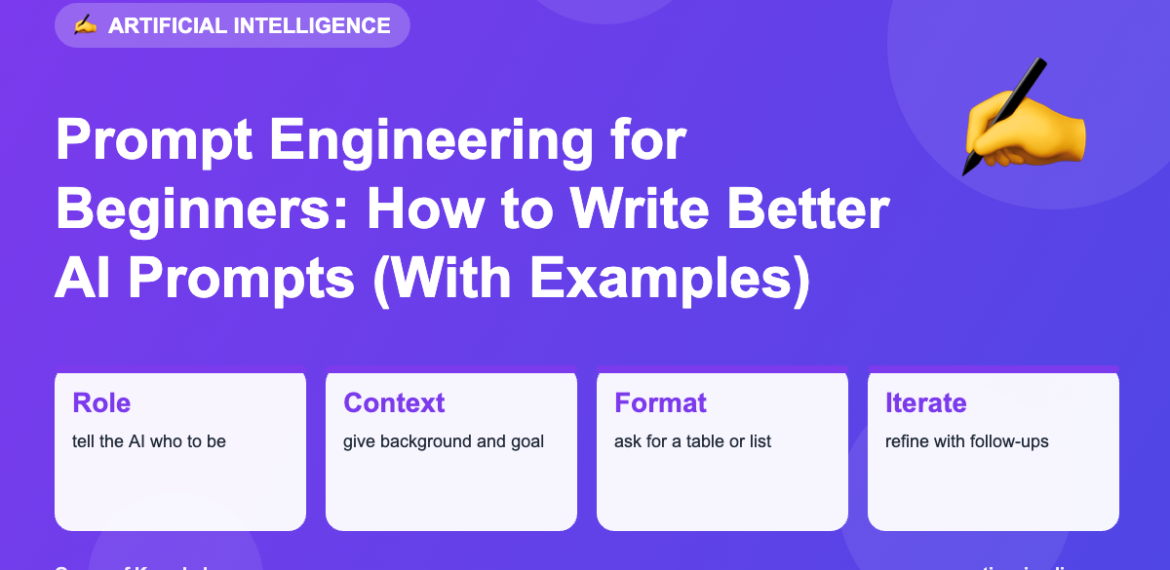
Most good prompts contain some or all of these parts:
| Part | What to write | Example |
|---|---|---|
| Role | Who the AI should act as | “You are a friendly maths teacher” |
| Task | Exactly what you want done | “Explain fractions” |
| Context | Who it is for and why | “to a Class 5 student who finds maths hard” |
| Constraints | Length, tone, language, things to avoid | “in under 150 words, simple English, no jargon” |
| Format | How the answer should look | “as 3 bullet points and one real-life example” |
| Example | A sample of the style you like | “like: ½ means one of two equal parts of a roti” |
Bad prompt vs good prompt
Bad: “Write about UPI.”
Good: “You are a personal finance writer. Write a 300-word explainer on how UPI works for first-time smartphone users in India. Use short sentences, include 3 safety tips, and end with a one-line summary.”
The second prompt tells the AI the audience, length, tone, structure and purpose, so the answer needs far less editing.
10 practical prompt tips
- Be specific about the outcome: “a 5-day study plan” beats “help me study”.
- Give context: your level, your goal and any deadline.
- Ask for a format: table, checklist, email, step-by-step.
- Break big tasks into steps and ask one step at a time.
- Paste the source text you want summarised instead of asking from memory.
- Ask the AI to ask you questions first if the task is complex.
- Use follow-ups: “shorter”, “more formal”, “add an example”.
- Ask for reasoning: “explain why each option is better or worse”.
- Request sources or say “say I don’t know if you are unsure”.
- Always fact-check numbers, dates and legal or medical claims.
Prompt templates you can copy
- Study: “Explain [topic] to a [class/age] student using an Indian everyday example, then give 5 quiz questions with answers.”
- Work email: “Draft a polite email to [person] about [issue]. Keep it under 120 words and suggest two meeting times.”
- Summary: “Summarise the text below in 5 bullet points and list any action items with owners.”
- Interview prep: “Act as an interviewer for a [role]. Ask me one question at a time and give feedback on my answer.”
Common mistakes to avoid
Sharing passwords, Aadhaar numbers or confidential company data in prompts; trusting statistics without checking; and accepting the first answer without iterating. Treat the AI like a fast, capable assistant whose work you still review.
Frequently asked questions
Do I need coding skills for prompt engineering?
No. Prompt engineering for everyday use is about clear writing. Developers use more advanced techniques, but anyone can learn the basics in an afternoon.
Which AI tool is best for prompts?
The same principles work across ChatGPT, Google Gemini, Microsoft Copilot and Claude. Try your prompt on two tools and compare.
Is prompt engineering a career?
Some companies hire for it, but it is increasingly a core skill for all roles, much like knowing how to search Google well.
Keep exploring
Facts are based on widely accepted official, scientific and historical sources at the time of writing. Spotted something that needs updating? Let us know.
Keep reading on Tiwaripedia
- What Is Agentic AI? AI Agents Explained Simply (With Real Examples)
- AI and Jobs: Advantages and Disadvantages of Claude, Copilot, Agentic and Generative AI (2026)
- How to Edit Photos With Google Gemini AI (Nano Banana): Step-by-Step Guide and Best Prompts
- How to Spot AI Images and Deepfakes: A Practical Guide
- 12 Smart (and Honest) Ways Students Can Use AI Tools for Study in 2026
- Machine Learning vs Deep Learning vs Generative AI: Differences Explained Simply
More guides: All Artificial Intelligence articles